Automatic or manual clipping
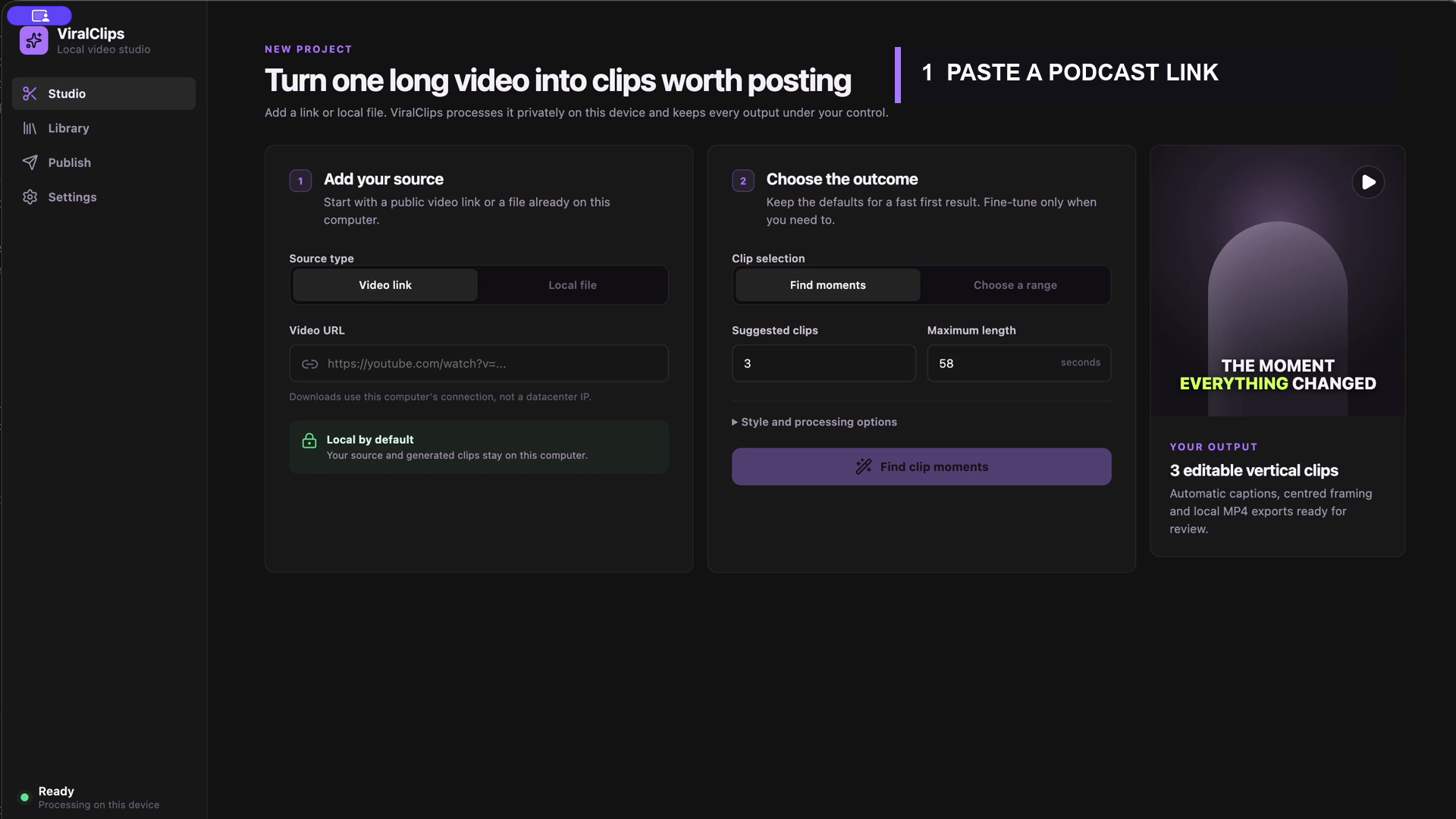
Let ViralClips find moments, or choose an exact range when you already know the cut you want.
Find strong moments, add styled captions, write the YouTube copy and publish. ViralClips keeps the heavy video work local instead of routing your source through another cloud queue.
Proof over praise
This is the current desktop app running a real podcast link. See the paste, the accelerated local processing, the completed project and two generated clips playing with audio.
Made with ViralClips · published on YouTube
Real Shorts from the SuccessMantra channel, including one viewed more than 3.5 million times. Select any clip to watch it on YouTube.
View counts checked 11 September 2026 and will continue to change.
 Published Short3.56M viewsElon Musk's Shocking WarningWatch on YouTube
  Published Short96.8K viewsElon Musk vs. Bill GatesWatch on YouTube
  Published Short5.3K viewsAre AI Robots About to Realize They're Not Human?Watch on YouTube
  Published Short4.9K viewsElon Musk's Surprising Blind SpotsWatch on YouTube
  Published Short3.6K viewsSecrets of Hypersonic TechWatch on YouTube
  Published Short3.1K viewsThe Power of SacrificeWatch on YouTube
 One focused desktop workflow
No credit counter for local processing. No upload queue for your source. Optional AI and publishing connections stay under your control.
Let ViralClips find moments, or choose an exact range when you already know the cut you want.
Transcribe locally, apply a caption style and export a ready-to-post 9:16 video with audio intact.
The clipping engine, video tools and speech model ship inside the app. Your source is processed on your machine.
Generate an editable title, description and tags from the real clip transcript using your own OpenAI key.
Connect your channel with Google OAuth, choose visibility and audience, then upload without leaving ViralClips.
API keys and OAuth tokens are encrypted by macOS secure storage—not bundled into the app or sent to us.
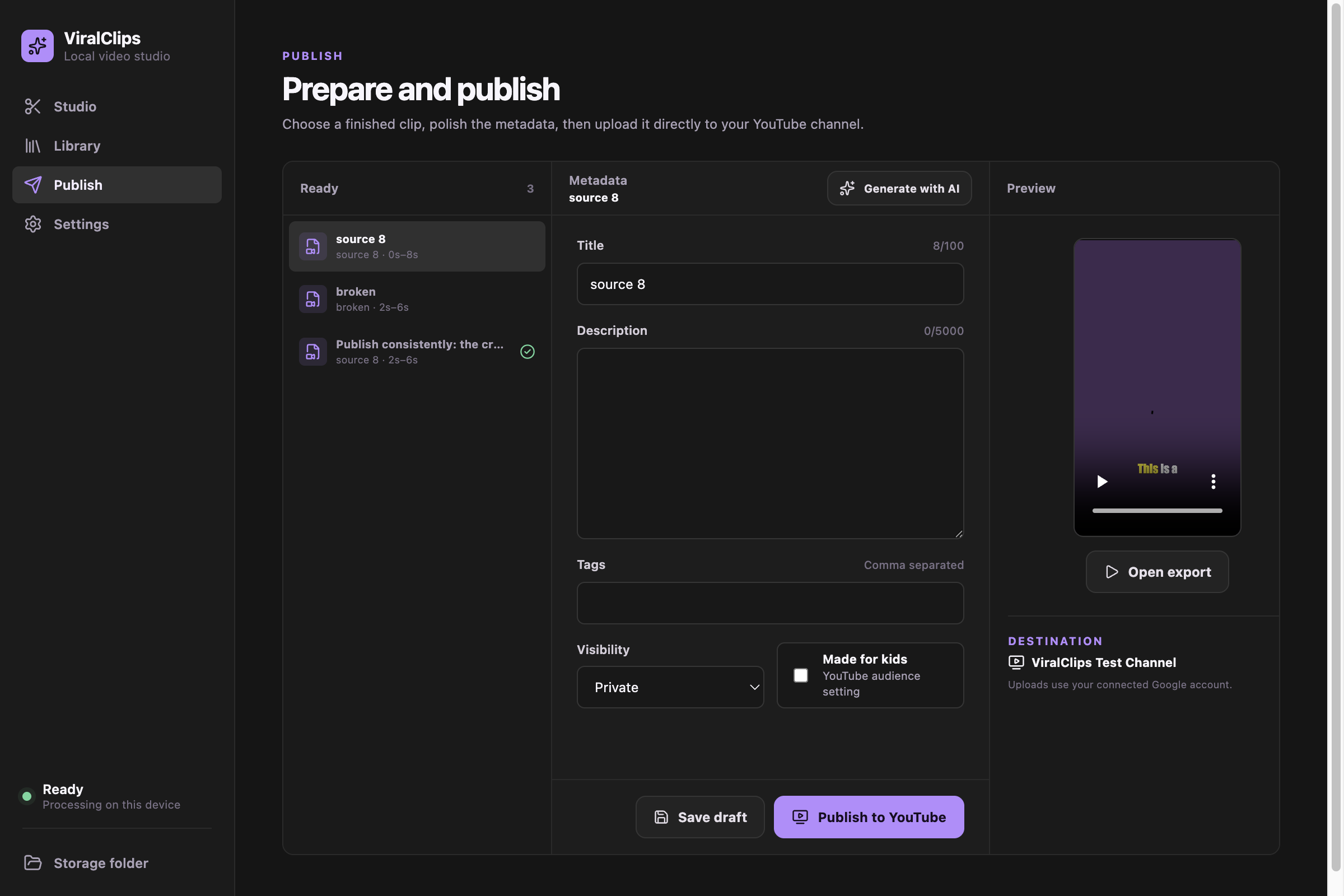
New Publish workspace
ViralClips reads the finished clip transcript—not the whole source—to draft a focused title, description and tags. You remain in control of the metadata, audience and visibility.
Choose the OpenAI model and remove the key whenever you want.
See progress in the app and get the finished YouTube link.
Why local matters
Cloud products vary; this comparison describes common category patterns, not every competitor.
One Apple Silicon Mac license, unlimited local processing and future updates.
Desktop license
Version 1.2.0 available now
$50
macOS 14.0+ · Apple Silicon only
What the current release does—and what it does not.
No. The Apple Silicon desktop license is a $50 one-time purchase with unlimited local processing and future updates.
Version 1.2.0 supports Apple Silicon Macs (M1 or newer) running macOS 14 or later. Intel Macs and Windows are not supported by this release.
Video downloads can be less reliable from shared cloud-server IP addresses. ViralClips downloads and processes on your own Mac, where you also keep control of the source and exports.
Only for optional integrations. Clipping and captions work locally. AI title/description generation uses your OpenAI key, and direct publishing uses a Google Desktop OAuth client connected to your YouTube channel.
Not by default. New uploads default to Private, and you can choose Private, Unlisted or Public for each clip before publishing.
No tool can guarantee that. Availability depends on the video's permissions, YouTube restrictions, region and account requirements. You can always use a local video file instead.
A focused desktop tool for creators who want control over their footage, workflow and publishing credentials.